
Get-AlarmDefinition | New-AlarmAction -Email -To ‘jandrews@inflexionllc.com’ -CC @(‘test1@inflexionllc.com’, ‘test2@inflexionllc.com.com’) -Body ‘Test body’ -Subject ‘Test subject’
Drop that line into a PowerCLI windows and poof all alarms will be updated to send an email when they go off (change warning (yellow) to alarm (red)).
Sweet. Not to mention about time!
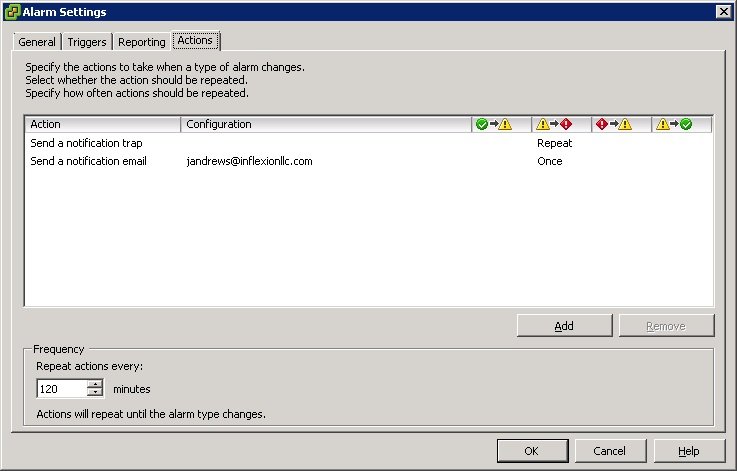
Don’t forget to add the SMTP server to your vCenter Server Settings and your vCenter server to your “allowed relay” list on your SMTP server.

That is a great feature, can you also delete the action using PowerCLI?
PowerCLI 4.x had some of these commands listed in the documentation but they didn’t work. 5.x seems to have everything you may need – and more (note the CC: in the command-line) and they seem to work.
I really intended to do a lot more with this, but I had a daughter born 8/22 and she’s taking a lot of time!
More posts on this topic (new PowerCLI esp Alarms) next week from VMworld. I promise!