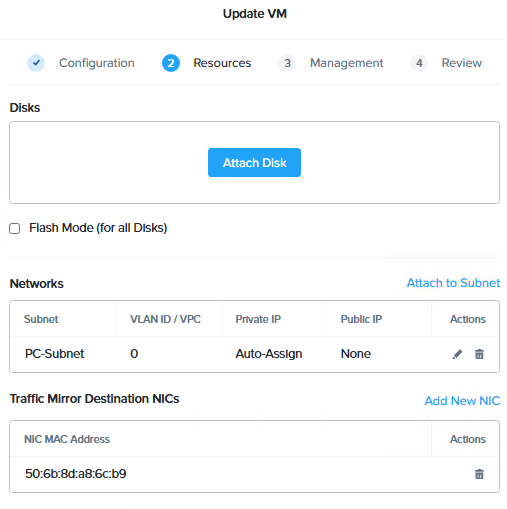
New with Prism Central 2023.x you can now allow trunking to a virtual machine from Prism Central.
Where typically the oVS strips the VLAN tag off of incoming network packets (and attaches the tags to out-going packets), if you set up a trunk connection the NIC will get unmolested packets.
Great for security systems (or Wireshark, tho you really also want port mirroring for that) , you’ll probably only be configuring this with docs from your security vendor. Don’t just add this to a VM as unless you configure the guest OS to handle the VLAN tags. Otherwise you won’t be on the network at all (guest OSs assume no VLAN tagging).
Previously you needed CLI to do this :
acli vm.nic_update <vm name> <vm nic mac address> vlan_mode=kTrunked update_vlan_trunk_info=true
Now you can see the option when adding (or updating) a NIC in PC.
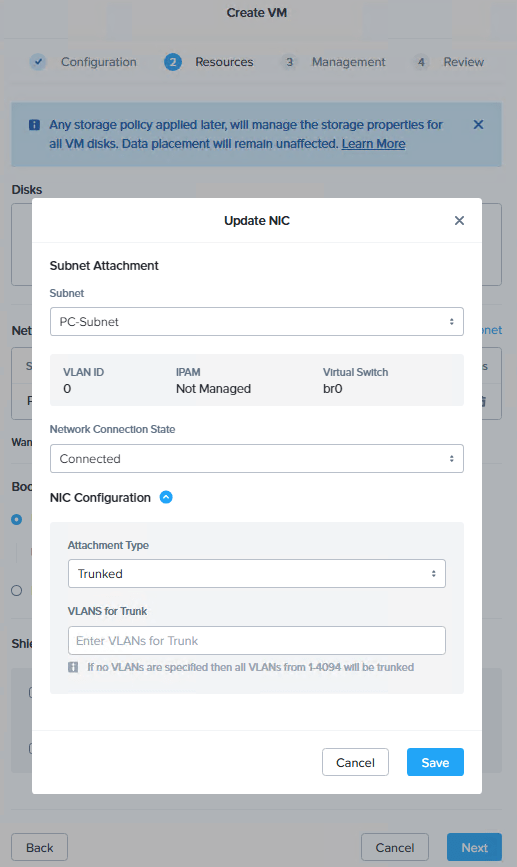
Note that you have to be in this window to see it, the Resources and Review tabs don’t show Trunking.
You can also check the CLI to verify you are trunking along.
acli vm.get TrunkorTreat
TrunkorTreat {
config {
...
nic_list {
connected: True
mac_addr: "50:6b:8d:b3:fc:2e"
network_name: "PC-Subnet"
network_type: "kNativeNetwork"
network_uuid: "31150c72-47d5-4ab4-b4f8-8b41378899bb"
queues: 1
rx_queue_size: 256
type: "kNormalNic"
uuid: "346e0d0f-659e-48a9-ae95-ad678113665d"
vlan_mode: "kTrunked"
}
You could also set specific VLAN values if you don’t want everything send in.
And note the

text. Hitting the hyperlink adds
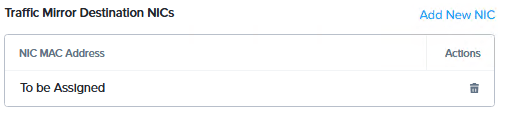
To the Resources page.
Now (after saving changes) the VM also has a kSpanDestinationNic
nic_list {
  connected: True
  mac_addr: "50:6b:8d:b3:fc:2e"
  network_name: "PC-Subnet"
  network_type: "kNativeNetwork"
  network_uuid: "31150c72-47d5-4ab4-b4f8-8b41378899bb"
  queues: 1
  rx_queue_size: 256
  type: "kNormalNic"
  uuid: "346e0d0f-659e-48a9-ae95-ad678113665d"
  vlan_mode: "kTrunked"
}
nic_list {
  connected: True
  mac_addr: "50:6b:8d:a8:6c:b9"
  network_type: "kNativeNetwork"
  queues: 1
  rx_queue_size: 256
  type: "kSpanDestinationNic"
  uuid: "606a6703-ea74-4bfa-980c-362433c75add"
  vlan_mode: "kAccess"
}
However if you want that one to be trunked you need the commandline, you can’t do it in the GUI